
12 Hidden Features in Google Search That Will Make Your Life Easier

Google is the world’s number one search engine. Over the past 20 years, the engine has only gotten bigger and better. Want to find something? Google it. But the website offers many more features to users than a simple web search. Yes, there’s Gmail, Google Docs and the like. However, there are plenty of Google search features that you can use without having to sign up for an account. Here’s just a few of the most useful:

1. Site search

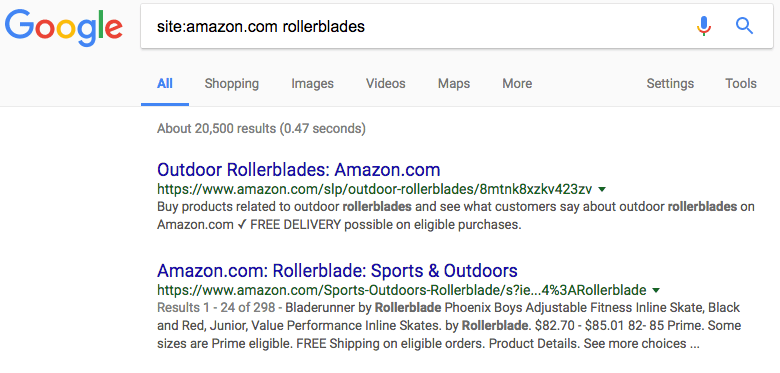
Want to search a website but can’t find the search bar? Or the website’s native search function is just terrible? Google can help. Just use the syntax “site:examplesite.com” and then type what you want to search for. The results will only include pages inside the website you’ve picked. Super handy, right?
2. Search for specific file types

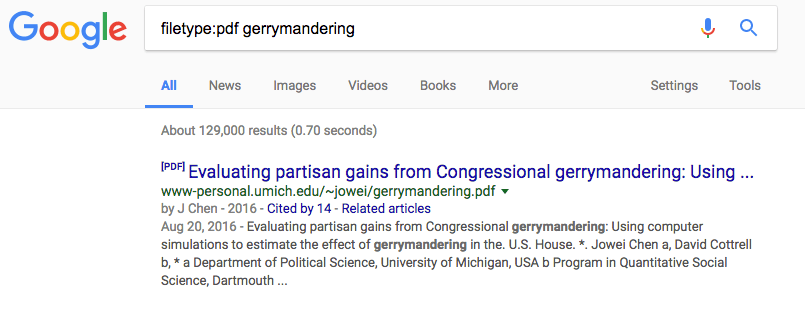
This search option is helpful to find published PDFs or Word Documents online. It’s probably the most useful for students of any kind. You’ll want to type “filetype:pdf” or “filetype:doc” and then whatever you’re looking for.
3. Use quotes for full phrases

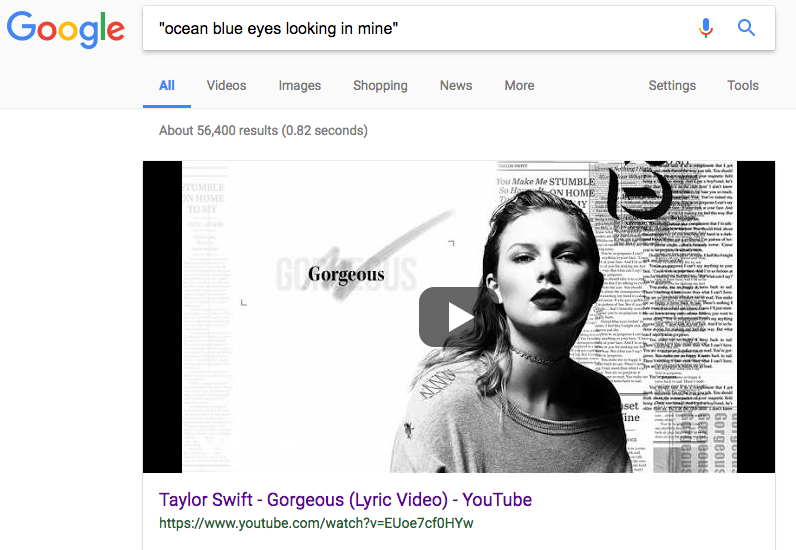
If you’re looking for an exact phrase, put it in quotes. This will tell Google to search for those specific words in that order rather than running a general search. This can be useful if you’re looking for something very specific without having to sort through irrelevant results. Like song lyrics.
4. Narrow your results with a minus

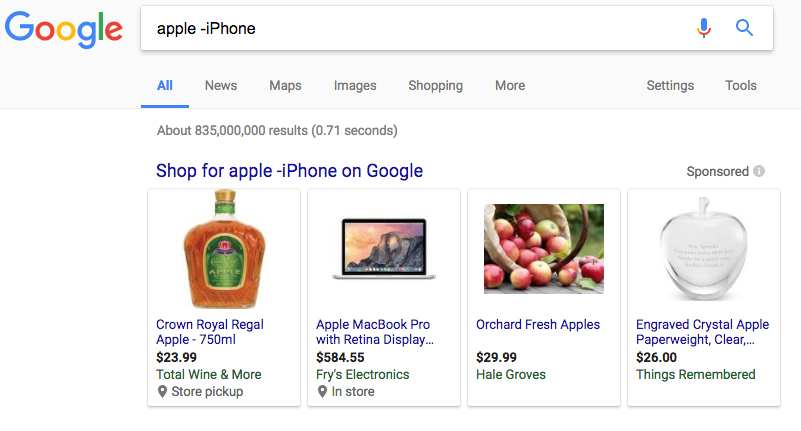
Sometimes popular companies and pages add clutter to the results you’re looking for. You can fix this by using the dash or minus. Let’s say you want to search for “apple” but want to avoid all references to the computer company. Type “-iPhone” after your query to eliminate all pages with that result.
5. Look up local times around the world

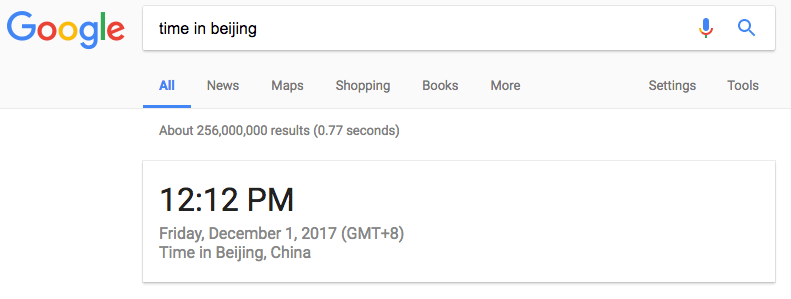
Wondering what time it is in Beijing, London or Sierra Leone? Just Google it. All you have to type is “time in New York” to find the local time in your desired city, state, or country.
6. Calculate tips

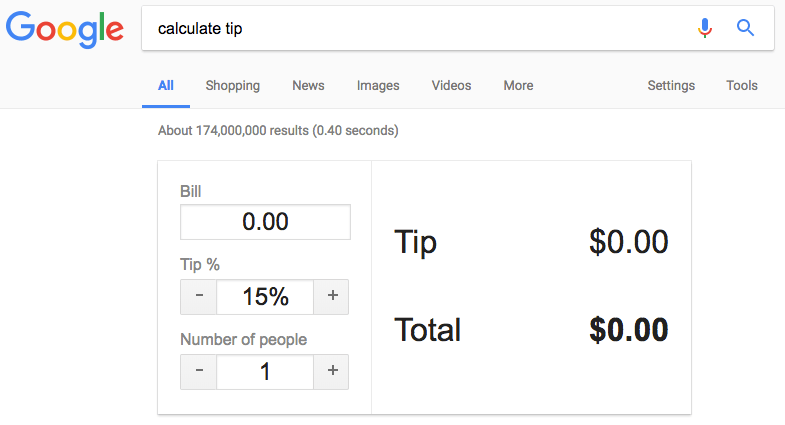
There are plenty of tip calculator apps, but with Google you can do it without ever leaving your browser. Just search “calculate tip” and a helpful widget will pop up allowing you to enter in relevant information. Who says you need to know math?
7. Translate phrases much faster

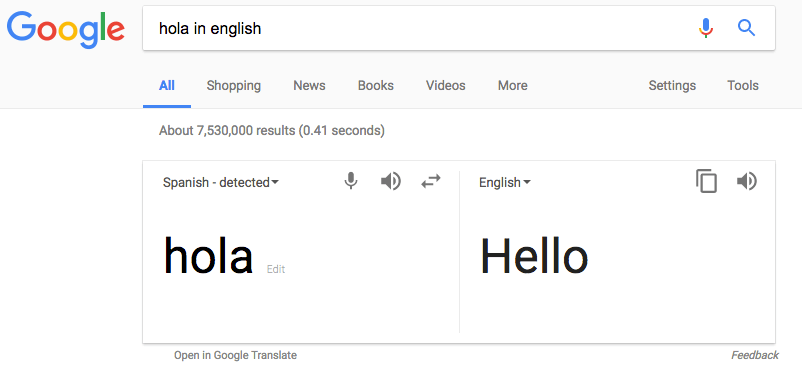
You don’t need to go to the official Google Translate page to translate a word or phrase. Just search for it directly and save yourself a few extra seconds.
8. Set a timer

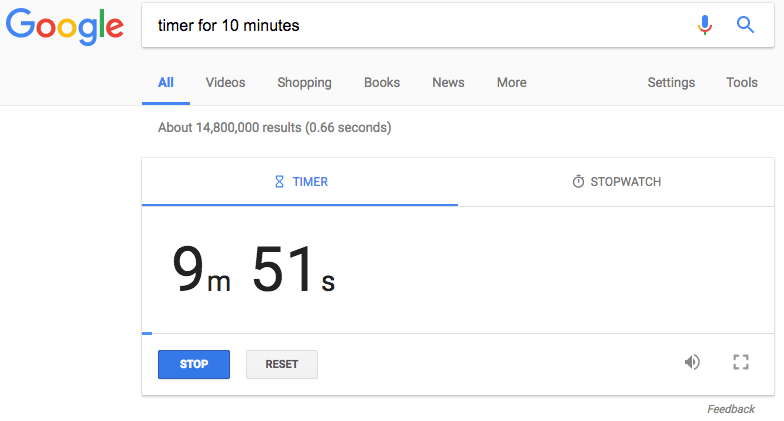
Another great widget function is setting a timer. All you have to do is type “set timer for x minutes” and it will start an automatic countdown. This is a great solution if you’re in a pinch. You can also use a stopwatch with Google if you ever need one.
9. Look up weather forecasts

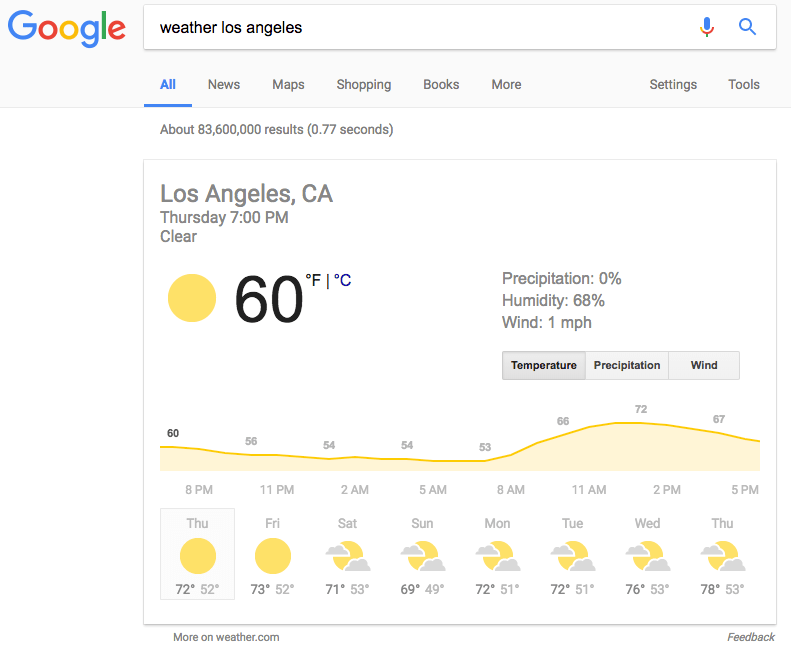
You don’t need to ask Siri for this one. Type in Google weather and a zip code or a city and you’ll instantly get a seven-day forecast. Handy when you’re planning travel or just want to check up on friends and family.
10. Check flight status

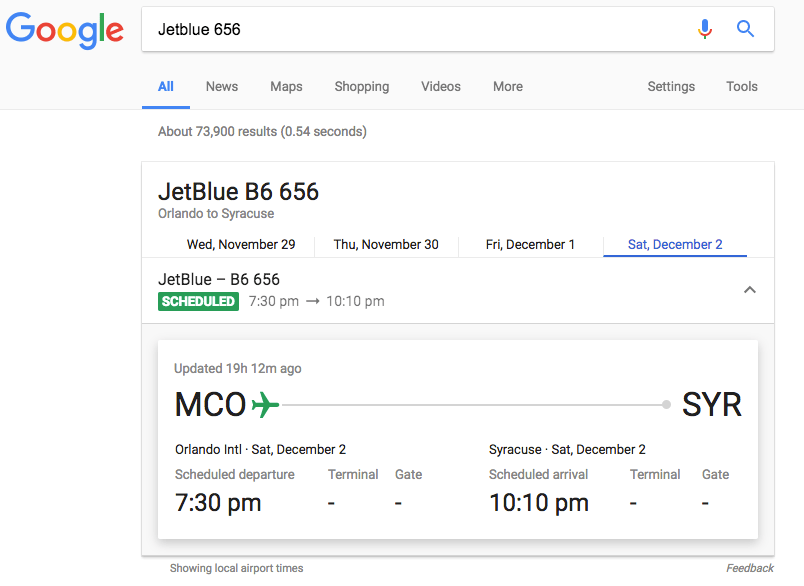
All you have to do is type in a flight number and you’ll see the departure and arrival times as well as the originating and landing airports. This is handy to quickly check up on a flight your friend or family member is taking. Make sure to type the airline as well as the flight number.
11. Find local movie showings

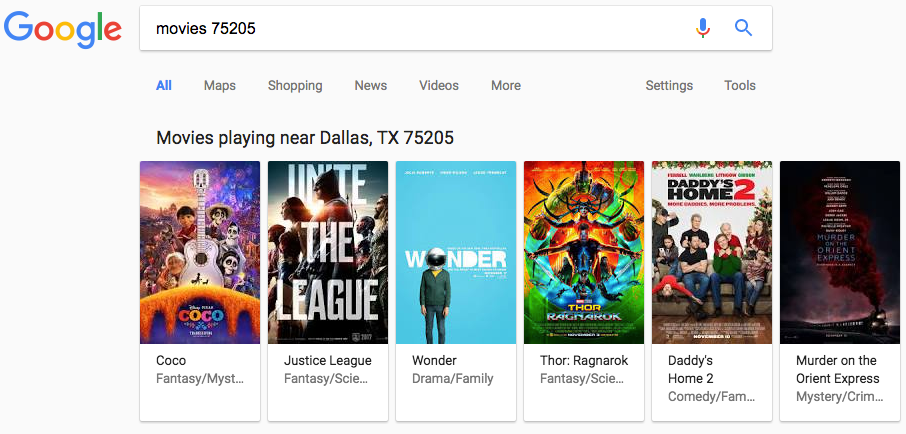
Just like with weather, all you have to type is movies and your zip code to get a list of movies playing nearby. Handy when you want to see what’s out.
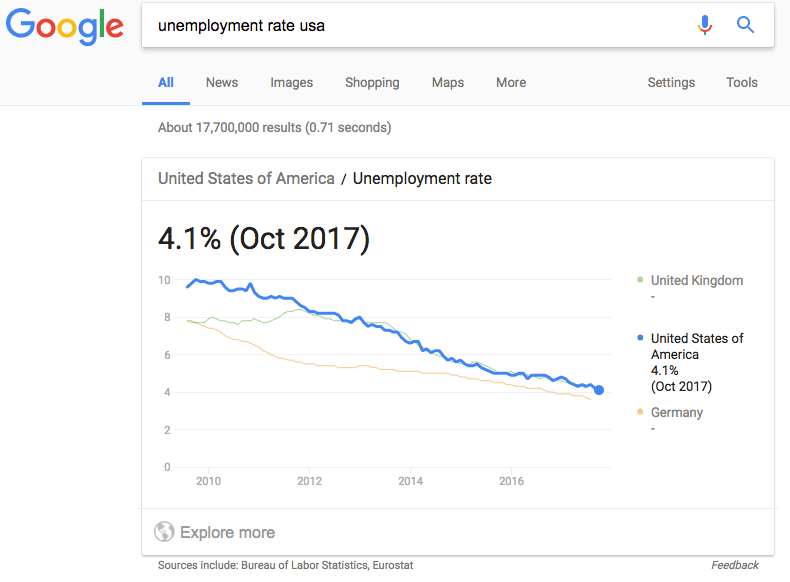
12. Search for public data

You can quickly look up the unemployment rate or population of different countries or states without ever leaving Google. Just in case you were curious.


string(4644) "
Google is the world's number one search engine. Over the past 20 years, the engine has only gotten bigger and better. Want to find something? Google it. But the website offers many more features to users than a simple web search. Yes, there's Gmail, Google Docs and the like. However, there are plenty of Google search features that you can use without having to sign up for an account. Here's just a few of the most useful:
1. Site search

Want to search a website but can't find the search bar? Or the website's native search function is just terrible? Google can help. Just use the syntax "site:examplesite.com" and then type what you want to search for. The results will only include pages inside the website you've picked. Super handy, right?

2. Search for specific file types

This search option is helpful to find published PDFs or Word Documents online. It's probably the most useful for students of any kind. You'll want to type "filetype:pdf" or "filetype:doc" and then whatever you're looking for.

3. Use quotes for full phrases

If you're looking for an exact phrase, put it in quotes. This will tell Google to search for those specific words in that order rather than running a general search. This can be useful if you're looking for something very specific without having to sort through irrelevant results. Like song lyrics.

4. Narrow your results with a minus

Sometimes popular companies and pages add clutter to the results you're looking for. You can fix this by using the dash or minus. Let's say you want to search for "apple" but want to avoid all references to the computer company. Type "-iPhone" after your query to eliminate all pages with that result.

5. Look up local times around the world

Wondering what time it is in Beijing, London or Sierra Leone? Just Google it. All you have to type is "time in New York" to find the local time in your desired city, state, or country.

6. Calculate tips

There are plenty of tip calculator apps, but with Google you can do it without ever leaving your browser. Just search "calculate tip" and a helpful widget will pop up allowing you to enter in relevant information. Who says you need to know math?

7. Translate phrases much faster

You don't need to go to the official Google Translate page to translate a word or phrase. Just search for it directly and save yourself a few extra seconds.

8. Set a timer

Another great widget function is setting a timer. All you have to do is type "set timer for x minutes" and it will start an automatic countdown. This is a great solution if you're in a pinch. You can also use a stopwatch with Google if you ever need one.

9. Look up weather forecasts

You don't need to ask Siri for this one. Type in Google weather and a zip code or a city and you'll instantly get a seven-day forecast. Handy when you're planning travel or just want to check up on friends and family.

10. Check flight status

All you have to do is type in a flight number and you'll see the departure and arrival times as well as the originating and landing airports. This is handy to quickly check up on a flight your friend or family member is taking. Make sure to type the airline as well as the flight number.

11. Find local movie showings

Just like with weather, all you have to type is movies and your zip code to get a list of movies playing nearby. Handy when you want to see what's out.

12. Search for public data

You can quickly look up the unemployment rate or population of different countries or states without ever leaving Google. Just in case you were curious.



"

What Is Beyoncé’s Net Worth?

Photo Credit: Instagram (Canva)

Now that she’s the fifth billionaire musician Updated: Dec 31st 2025 As of December 2025, Beyoncé’s official net worth is an estimated $1 billion, making her a rare musician to reach billionaire status. Forbes recently confirmed this milestone, noting that the combination of touring revenue, music catalog earnings, brand partnerships, and her business ventures pushed

The TRUTH About The Trad Wife Trend

Nara Smith, Lucky Blue Smith, and daughter Rumble Honey

Matthew Brookes / Oliver Peoples

Update: November 7th, 2025 TL;DR TikTok’s favourite tradwife just had another baby, moved into a new house, and reignited the Internet’s gender-war discourse — again. Here’s what’s new with Nara Smith, why the “tradwife” trend still won’t die, and what it really says about 2025’s obsession with curated domesticity. The Tradwife Era Isn’t Over —

Is Financial Infidelity Worse Than Regular Ol’ Cheating?

Photo by StockSnap for Pexels

Mention the word “infidelity” and the usual images are conjured up:  secret encounters in sordid motels, callers who hang up when the wrong person answers the phone, tears and harsh words when the truth comes out. A less dramatic (but increasingly common) form of betrayal is making waves: financial infidelity. What is financial infidelity? Financial

The Motherhood Penalty

Photo by Sai De Silva (Unsplash)

You Lose $20K Each Year Just For Being a Mom You may not know this, but there was a time when smoking was considered “liberated” behavior for women. There was a cigarette company Virginia Slims that was created specifically to attract female smokers during the bad old 1970s. The slogan was “You’ve come a long

Financial Red Flags To Watch Out For When Dating

Photo by Niko_Shogol for Pixabay

TL;DR: One of the biggest money red flags in dating? When your partner simply won’t talk about money. According to financial therapist Erika Wasserman, that’s the #1 issue to nail down if you want to know whether your potential future partner and your financial IQs are compatible. Why “Not Talking Money” Is More Than Awkward

The Ultimate Guide to Selling Funko POPs

Funko

Even if you don’t know the first thing about collectables, you know Funko POPs. Funko Everyone does. They’re absolutely everywhere, from comic book shops to big box stores to movie theater concession stands. Many people think Funko POPs are cute, with their big black eyes and uniform features. Others think they’re creepy for pretty much

How to Get Out of Your Gym Membership Without Paying a Penalty

Gym Jumping Woman - Image by StockSnap for Pixabay

Trying to cancel your gym membership can be more tiring than actually attending that kickboxing class you keep skipping. Getting out of your gym contract can be so tough that people are going to great lengths to avoid paying any penalties. After going into debt living a lifestyle she couldn’t afford, this woman forged fake

What Is Kris Jenner’s Net Worth? 

Kris Jenner

The Momager May Be Worth More Than You Think… Kris Jenner is a pop culture icon for many reasons. While you may have watched her meteoric rise to fame on Keeping Up with the Kardashians — which originally debuted on E! — she’s actually been a fascinating figure in the public eye for ages.  As